

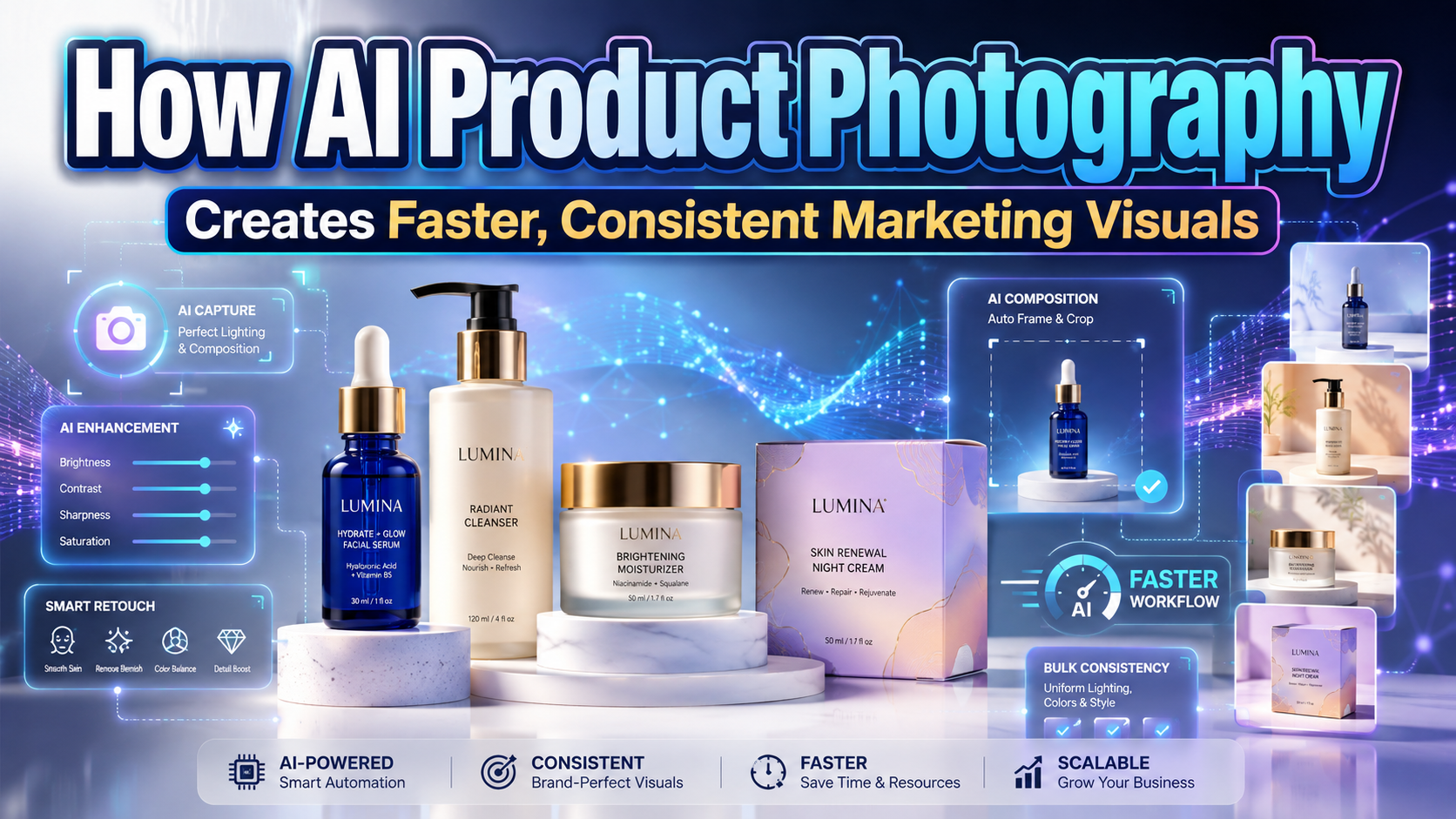
AI Product Photography: Building Better Ecommerce Visuals With Artificial Intelligence
Start With an Accurate Product Image
The most reliable AI product photography workflow begins with a clean photograph of the real product. AI can replace backgrounds, remove unwanted objects, expand compositions, improve resolution, and generate campaign environments, but it should not be allowed to change important product details without review.
Before editing, identify the features that must remain accurate:
- Product shape and proportions
- Color and material
- Logo placement
- Buttons, ports, and packaging text
- Texture, stitching, or surface finish
- Included accessories
- Size relationships
A visually impressive image becomes commercially risky when it shows features the customer will not receive. In the United States, advertising is evaluated through its overall message, including words and pictures, and objective claims must be truthful and supported.
What Is AI Product Photography?
AI product photography uses generative and editing technology to create or improve commercial product images. It can transform a simple studio shot into lifestyle photography, seasonal advertising, social content, or marketplace-ready imagery.
Common capabilities include:
- Background removal
- AI-generated scenes
- Object removal
- Generative fill
- Image expansion
- Resolution enhancement
- Lighting adjustments
- Aspect-ratio variations
- Product-video generation
- Batch campaign creation
Adobe Firefly supports product-background generation, inserting or removing scene elements, expanding images, and producing compositions from reference images. Google Product Studio can generate scenes, replace or remove backgrounds, increase resolution, and turn product images into promotional videos.
Why Businesses Use AI Product Images
Faster Campaign Production
A conventional campaign may require a studio, photographer, lighting equipment, props, models, location, editing, and several rounds of production. AI can help teams explore multiple visual directions from one approved product image before committing to a larger shoot.
This is useful for:
- Seasonal promotions
- Social-media campaigns
- Ecommerce banners
- Marketplace listings
- Product launches
- A/B testing
- International campaigns
AI does not eliminate creative direction. It reduces the time required to produce and evaluate alternatives.
Greater Visual Consistency
Online stores often contain product images created by different suppliers, photographers, or teams. Backgrounds, shadows, crops, and color temperatures may vary significantly.
AI-assisted editing can help standardize:
- Background color
- Product scale
- Camera angle
- Shadow style
- Image dimensions
- Visual spacing
Consistency makes the catalog easier to scan and helps the brand appear more professional.
More Content From Existing Assets
One accurate product photograph can support several outputs:
- White-background listing image
- Lifestyle scene
- Vertical Story
- Square social post
- Website hero banner
- Email campaign
- Promotional video
This allows small ecommerce businesses to create broader campaigns without organizing a new shoot for every channel.
A Practical AI Product Photography Workflow
Step 1: Capture a Clean Base Photograph
Use soft, even lighting and a simple background. Photograph the product at sufficient resolution and keep its edges clear.
Capture several useful angles rather than relying on one image. AI performs better when the source provides accurate visual information.
Step 2: Clean the Product Image
Remove dust, distractions, unwanted reflections, and background elements. Correct exposure and white balance without changing the product’s real appearance.
Keep an untouched master file for comparison.
Step 3: Generate the Environment
Describe the setting with specific information:
Minimal skincare bottle on warm limestone, soft morning light, muted beige background, premium editorial photography.
Include the desired surface, lighting, camera perspective, mood, and negative space. Specific prompts usually produce more usable results than vague requests such as “make it luxurious.”
Step 4: Create Channel-Specific Variations
Generate separate compositions for each placement rather than cropping one image repeatedly.
A website banner may need space for a headline. An ecommerce listing should emphasize the product. A vertical advertisement may need the product positioned away from interface overlays.
Step 5: Review Product Accuracy
Compare every generated image against the real item.
Check:
- Shape
- Label text
- Color
- Reflections
- Shadows
- Repeated or missing components
- Unrealistic contact with surfaces
- Scale
AI frequently produces believable scenes with subtle physical or typographic errors. Human review remains essential.
Brand Consistency and Creative Direction
Create an AI photography guide containing:
- Approved color palette
- Lighting direction
- Background materials
- Camera perspective
- Shadow intensity
- Prop style
- Image density
- Prompt templates
- Rejected visual treatments
Adobe introduced broader access to Firefly custom models in 2026, allowing organizations to create reusable visual directions based on their own approved images. This illustrates how AI production is moving from isolated prompting toward more consistent brand systems.
Typography should also connect the images to the brand. A distinctive PutraCetol Studio font can lead campaign headlines, packaging concepts, and social graphics, while a readable companion handles prices, specifications, and product details.
Transparency and Content Provenance
Brands should maintain records of original photographs, prompts, generated versions, manual edits, and final approvals.
Content Credentials provide a technical way to attach provenance information describing how digital media was created or modified. The C2PA describes them as a tamper-evident record that can include creation methods, editing history, and AI involvement.
Transparency becomes especially important when AI introduces virtual models, simulated environments, or visual features that could influence a purchase decision.
Comparison
| Production Method | Main Strength | Main Limitation | Best Use |
|---|---|---|---|
| Traditional studio photography | Maximum physical control and accuracy | Higher cost and preparation | Hero campaigns and premium products |
| AI-assisted editing | Preserves a real product while accelerating production | Requires careful review | Ecommerce and campaign variations |
| Fully generated imagery | Fast concept exploration | Greater risk of inaccurate details | Moodboards and early ideation |
| Hybrid production | Combines real photography with generated environments | Needs disciplined art direction | Scalable branded campaigns |
Common Mistakes
The first mistake is generating the entire product from text when accurate appearance matters. AI may change proportions, labels, stitching, controls, or materials while producing an image that initially looks convincing. Use a real product photograph as the primary reference and treat fully synthetic outputs as concepts until every detail has been verified.
Another mistake is producing many attractive images without a consistent visual system. Different prompts can create conflicting lighting, colors, camera angles, and brand personalities. Build reusable prompt structures and define approved backgrounds, shadows, materials, and compositions before generating a large campaign.
The final mistake is publishing AI visuals without checking the commercial message they communicate. A generated scene may imply that a product is waterproof, larger than it is, suitable for a particular environment, or supplied with accessories that are not included. Review the complete impression of the image, preserve source records, and disclose synthetic or materially altered content where appropriate.
Conclusion
AI product photography can help ecommerce brands, photographers, designers, and marketers create more visual content with greater speed and consistency.
Its strongest role is not replacing every photoshoot. It is extending accurate product photography into multiple backgrounds, formats, campaigns, and channels.
Begin with a reliable source image, protect essential product details, establish a clear visual system, and review every generated result before publication. When human art direction and AI production work together, businesses can reduce repetitive editing while preserving authenticity and customer trust.
Explore these fonts and many more at PutraCetol.com to build a business identity that looks professional, trustworthy, and memorable.
Additionally, if you want to explore some free typography options, you can check out Putracetol Studio on Dafont. Happy reading and designing!