
Opentype Feature
Using Opentype Feature in Any Software
The Character Panel (Photoshop CC, InDesign)
Photoshop
First, open your Character Panel from Window > Character, then type some text.
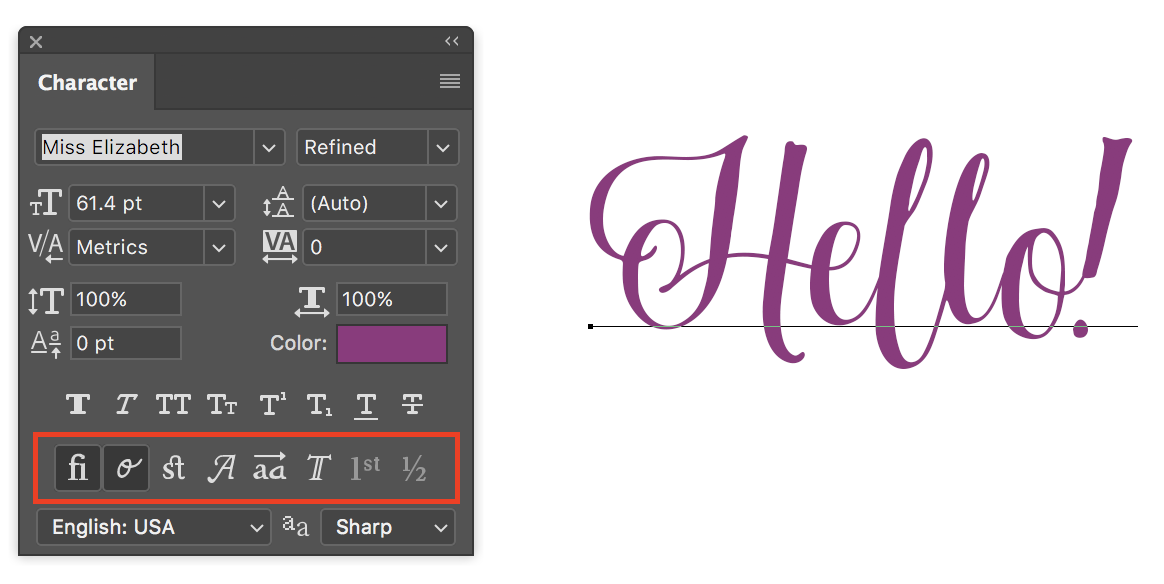
You’ll notice some OpenType options toward the bottom of the panel (boxed in red). The bolder ones are the features that are built into the font, whereas the grayed out features are not available for the current font. From left to right, these 8 features are:
- Standard Ligatures
- Contextual Alternates
- Discretionary Ligatures
- Swashes
- Stylistic Alternates
- Titling Alternates
- Ordinals
- Fractions
Just click on the feature(s) you’d like to use, and those features will be applied to all of the text. The Standard Ligatures and Contextual Alternates are selected in the example above.
InDesign
- After creating and selecting your text, open your Character panel (Window > Type & Tables > Character) and click the small menu button in the top right corner (boxed in red.)
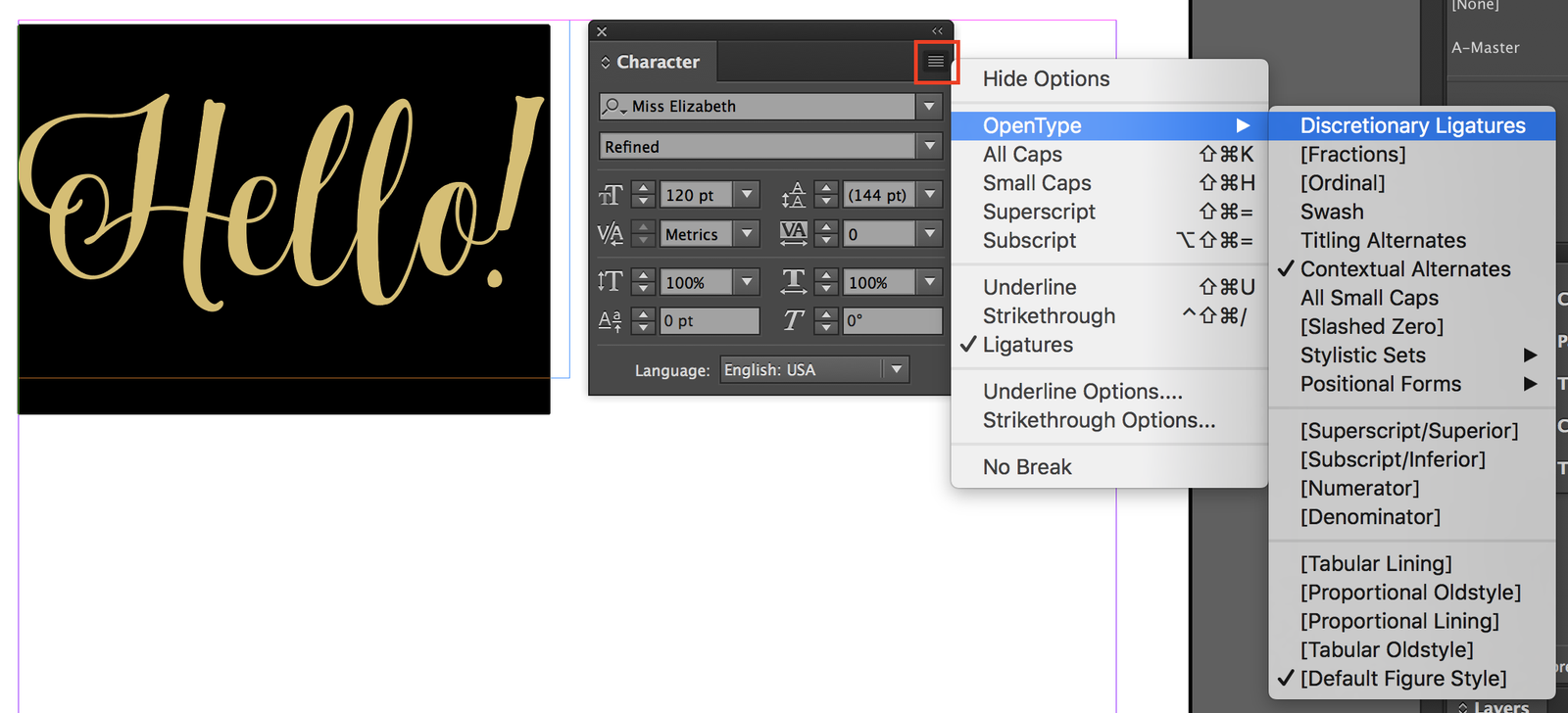
- Next, you’ll see some type options, including OpenType ▶. Notice that Ligature is already checked – this is an InDesign default setting.
- Click OpenType ▶. You’ll see more OpenType options from which you can choose. Features in brackets, such as [Fractions] are features that aren’t available in the current font. Notice that Contextual Alternates is also checked; this is another InDesign default.
- Click any non-bracketed option to use that feature, and click any checked option to remove that feature from the selected text.
The Glyphs Panel (Illustrator, InDesign, Photoshop CC2015+)
This panel gives you complete control over which specific characters to choose from the font. First, open your Glyphs Panel:
- Illustrator: Window > Type > Glyphs
- InDesign: Window > Type & Tables > Glyphs
- Photoshop CC2015+: Window > Glyphs
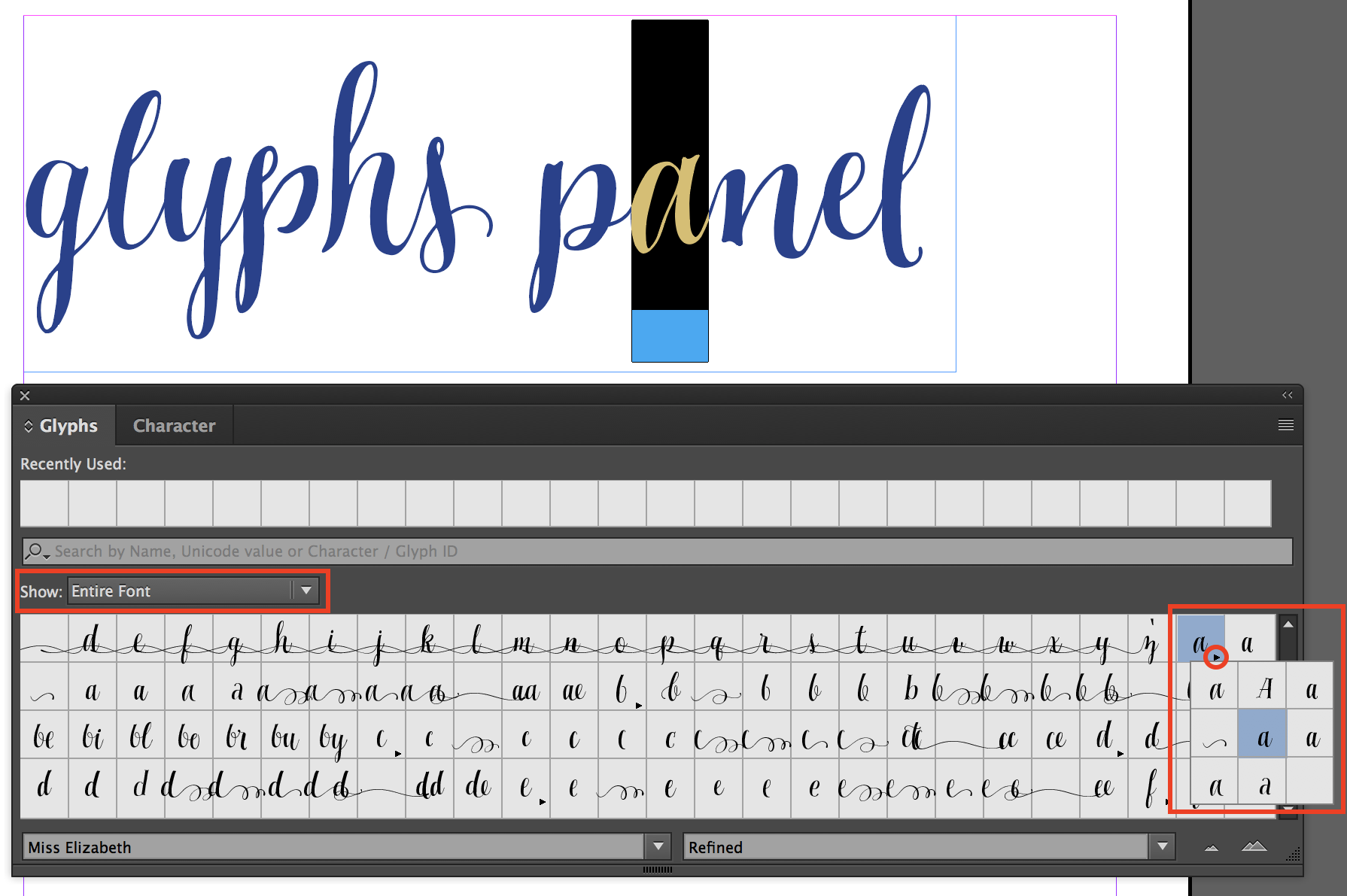
- You’ll see a dropdown menu on the top of the panel that says “Show” – from there, you can elect to show the entire font or a specific alternate set (such as ss01, ss02, Standard Ligatures, etc.) Note: ss01, ss02, etc refer to Stylistic Alternates.
- If you show the entire font, all the characters will be shown on a grid. You can manually select alternates for each character with a tiny triangle in the bottom right hand corner. Just click the character and you’ll be able to see and select alternates.
The OpenType Panel (Illustrator Only)
First, open your OpenType Panel (Window > Type > OpenType), then type some text.
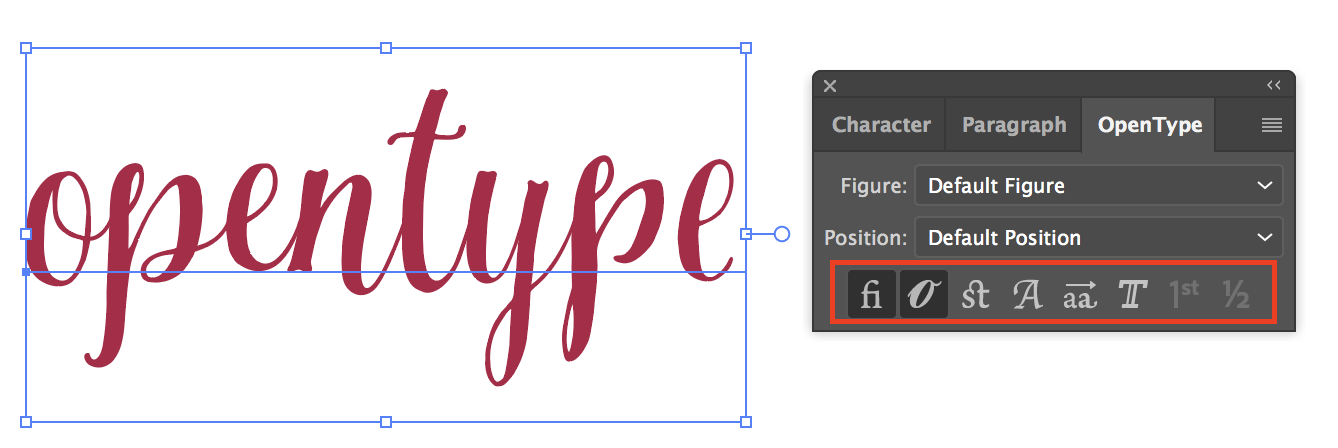
You’ll notice some OpenType options toward the bottom of the panel (boxed in red). The bolder ones are the features that are built into the font, whereas the grayed out features are not available for the current font. From left to right, these 8 features are:
- Standard Ligatures
- Contextual Alternates
- Discretionary Ligatures
- Swashes
- Stylistic Alternates
- Titling Alternates
- Ordinals
- Fractions
Just click on the feature(s) you’d like to use, and those features will be applied to all of the text. The Standard Ligatures and Contextual Alternates are on by default.
OpenType Features in Microsoft Word
Since Microsoft Word has limited OpenType support, you may not be able to use of all of a font’s available OpenType features. However, MS Word has settings that enable you to use a few OpenType features, if they’re available:
- Stylistic Alternates
- Contextual Alternates
- Standard & Discretionary Ligatures
To access these features, follow these steps in Word:
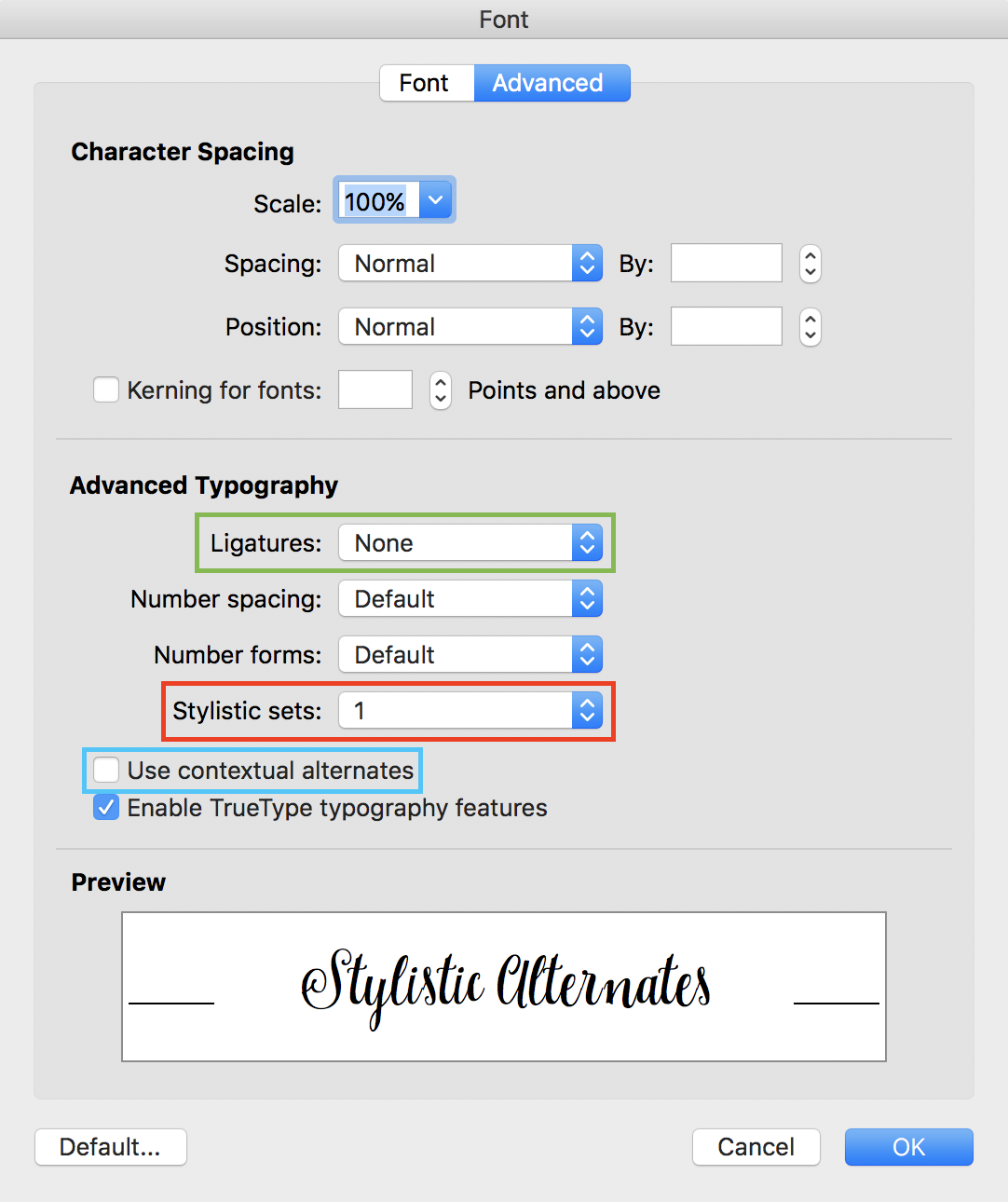
- Select your text and go to to Format > Font and select the Advanced tab.
- Stylistic Alternates: To choose a stylistic set, click on the dropdown menu under “Stylistic Sets” (boxed in red) and choose one of the sets. Keep in mind that not all fonts will have 20 stylistic sets.
- Contextual Alternates: To enable contextual alternates, check the box toward the bottom (boxed in blue).
- Ligatures: If you click on the dropdown beside Ligatures (boxed in green) you’ll be able to choose from Standard ligatures, Historical and Discretionary, etc.
Source : https://support.creativemarket.com/hc/en-us/articles/360037478813–Using-Fonts-with-Special-Features-OpenType-
How to Access Alternate in any software using PUA Encoded Fonts:
PUA stands for “Private Use Areas”. When a font is PUA encoded it means that you can access all special characters such as the flourishes and swirly lines through Windows and Mac and that you can load them into applications. Windows Character Map and Mac Font Book are the most standard ways of accessing PUA encoded characters.
You can read how to access PUA Encoded Fonts step by step in this link.
Thank you,
PutraCetol Studio