
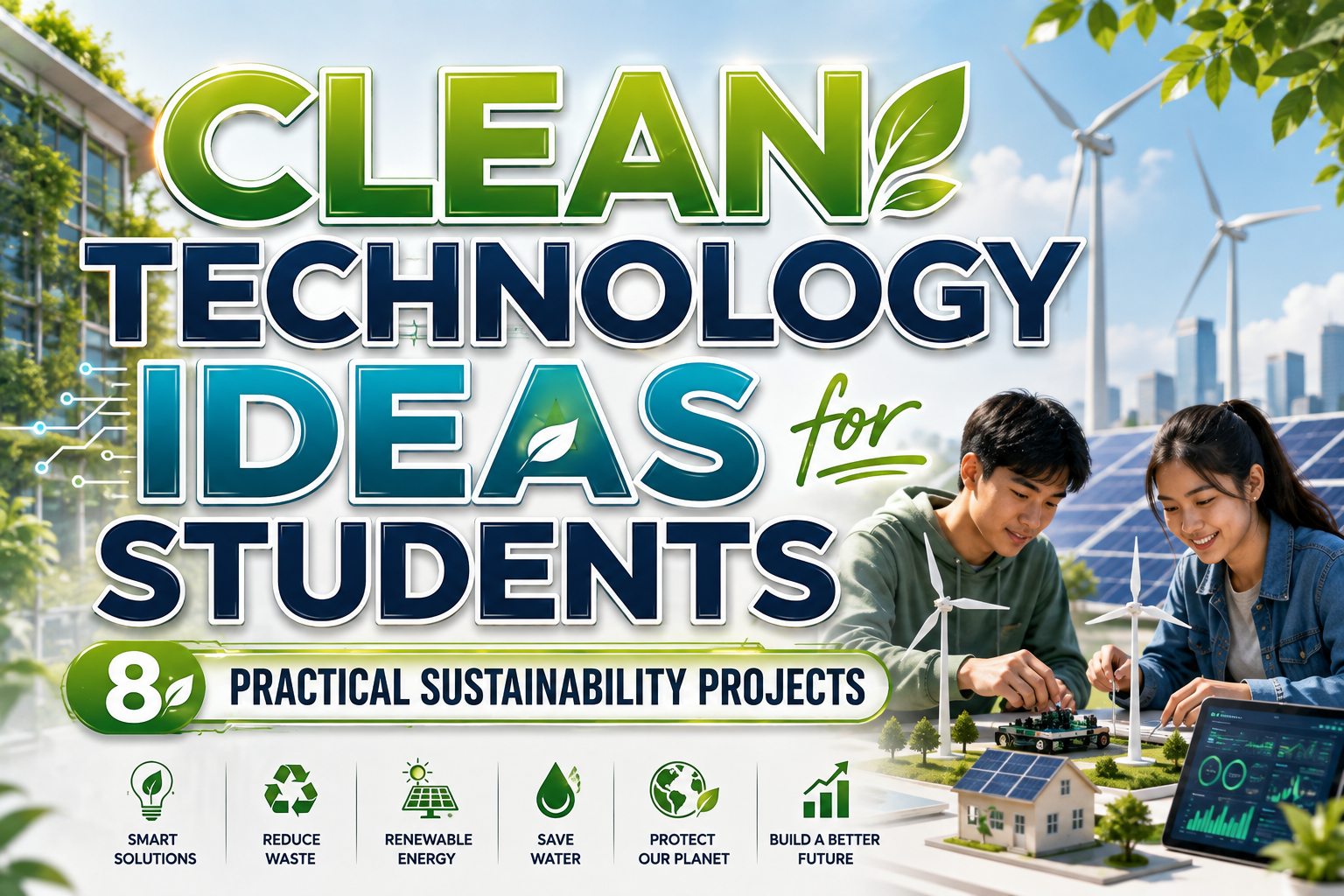
The most effective clean technology ideas for students do not begin with an expensive device or complicated invention. They begin with a measurable problem found at school, at home, or within the surrounding community.
A student might notice that classroom lights remain active when rooms are empty, food scraps are mixed with general waste, plants are watered on a fixed schedule regardless of soil conditions, or commuters lack clear information about lower-impact travel options. Each observation can become the foundation of a meaningful clean technology project.
Before selecting equipment, define four elements: the problem, the baseline, the proposed intervention, and the result that will be measured. A project titled “Smart Energy System” is too broad. A clearer research question would be: “Can occupancy-based lighting reminders reduce electricity use in one classroom over four weeks?”
This approach gives the project academic value because the student is not only building a prototype. They are testing whether a specific solution creates a measurable improvement.
What Makes a Strong Clean Technology Project?
A strong project should combine environmental relevance with realistic execution. It does not need to solve a global problem immediately. It needs to demonstrate a credible method, produce understandable evidence, and explain how the concept could be improved or expanded.
Students should consider:
- Environmental value: What resource, emission, or form of waste does the project address?
- Measurable output: Can the team record electricity, temperature, weight, water, travel distance, or prediction accuracy?
- Technical feasibility: Can the prototype be completed using available time, skills, and materials?
- Safety: Does the project avoid dangerous voltage, chemicals, batteries, heat, or moving machinery without qualified supervision?
- Scalability: Could the idea work in another classroom, building, neighborhood, or city?
Eight Clean Technology Ideas for Students
1. Smart Classroom Energy Monitor
Install safe plug-level energy monitors or low-voltage sensors to observe how lighting, fans, computers, and other equipment are used throughout the day. Students can compare electricity use during occupied and unoccupied periods, identify avoidable consumption, and create a dashboard showing daily patterns.
A more advanced version could use temperature, light, and occupancy data to predict when unnecessary consumption is likely to occur. AI and machine learning are already being explored as tools for understanding and improving organizational energy performance, making this a relevant introduction to data-driven efficiency.
Possible measurement: Electricity use before and after an awareness campaign or automated reminder system.
2. Solar-Powered USB Charging Station
Create a small, low-voltage solar charging station for phones, sensors, or rechargeable lights. A basic prototype may include a small photovoltaic panel, charge controller, protected battery module, USB output, and simple display showing generated power.
Students can examine how panel angle, shade, weather, and time of day affect electricity production. Rather than presenting the station only as a model, record its performance over several days and calculate how much useful energy it delivers.
Possible measurement: Watt-hours generated each day and the number of devices charged.
All electrical work should use appropriate low-voltage components and be completed under teacher or technician supervision.
3. AI-Based Electricity Demand Forecast
Students interested in coding can build a model that predicts short-term electricity demand using historical consumption, time, temperature, occupancy, or weather information. Begin with a simple regression or time-series baseline before testing a more complex machine-learning model.
The project should compare predicted values with actual consumption and explain where the system makes mistakes. It can then propose actions such as moving flexible activities away from peak-use periods or alerting users when consumption becomes unusually high.
The U.S. Department of Energy identifies AI as a tool with potential applications across modern grids and the clean energy economy, including analysis, forecasting, and more efficient use of infrastructure.
Possible measurement: Mean prediction error and estimated energy savings from suggested schedule changes.
4. Solar-Powered Smart Irrigation System
Combine a soil-moisture sensor, microcontroller, small water pump, and solar panel to water plants only when the soil reaches a defined dryness level. Compare this system with watering on a fixed daily schedule.
The project can investigate whether sensor-based irrigation reduces unnecessary water use while maintaining similar plant growth. Students can also test different moisture thresholds for various plant types.
Possible measurement: Water used per week, soil-moisture stability, and plant height or leaf condition.
This is a useful interdisciplinary project because it combines renewable energy, electronics, agriculture, programming, and environmental data.
5. Computer-Vision Waste Sorting Prototype
Build a small system that uses a camera and image-classification model to identify common waste categories such as paper, plastic bottles, metal cans, and food scraps. The prototype could display the correct bin or activate a low-power sorting mechanism.
The goal should not be to claim perfect automated recycling. Instead, students should evaluate model accuracy, identify commonly confused objects, and study how lighting, camera angle, contamination, and packaging design influence results.
Possible measurement: Classification accuracy, false-sort rate, and improvement after adding more training images.
Only clean sample items should be used. Hazardous, sharp, contaminated, or medical waste should never be handled by the prototype.
6. Food-Waste Tracker and Compost Monitor
Create a digital weighing station that records how much food is discarded in a cafeteria or household. The collected data can categorize waste by type, meal, day, or reason, such as oversized portions, preparation scraps, or expired ingredients.
Organic material suitable for composting can then be monitored using temperature and moisture sensors. Students can study how environmental conditions affect the composting process and create alerts when the pile becomes too dry or wet.
The EPA describes composting as a form of natural recycling that can keep material out of landfills while producing useful soil amendments.
Possible measurement: Food waste per person, compost temperature, decomposition time, and reduction after an awareness campaign.
7. Community Air-Quality Sensor Map
Use portable sensors to study changes in particulate matter, temperature, or humidity around classrooms, roads, parking areas, parks, and other local environments. Display the observations on a digital map and compare patterns at different times.
Low-cost sensors can make environmental monitoring more accessible, but their readings require careful interpretation. The EPA recommends appropriate study design, sensor evaluation, data-quality review, and comparison with reference instruments where possible. These devices are useful for educational investigation, but their results should not be presented as official regulatory measurements.
Possible measurement: Relative differences by location, time, weather, or traffic activity.
8. Green Transportation Route Planner
Develop a website through sites like Squarespace or or mobile prototype that compares walking, cycling, public transport, shared vehicles, and electric mobility options for common student journeys. The system could evaluate distance, time, estimated energy use, accessibility, weather, and route safety.
Students could collect anonymous commute data through a survey, identify routes with high dependence on private vehicles, and recommend practical alternatives. The IEA treats transport efficiency and electrification as major components of the clean energy transition, providing a strong research context for student projects in mobility and urban planning.
Possible measurement: Potential reduction in vehicle kilometers, estimated energy use, travel cost, or commuting time.
Turning an Idea Into an Academic Project
Once a topic has been selected, convert it into a testable process:
- Record the current condition or baseline.
- Write a clear research question and hypothesis.
- Design the smallest prototype that can test the idea.
- Select one primary measurement and several supporting metrics.
- Compare results under controlled conditions.
- Document errors, limitations, safety concerns, and unexpected outcomes.
- Explain how the solution could be improved or implemented at a larger scale.
A successful project does not need to prove that the first idea was correct. A result showing that a system failed, performed inconsistently, or required different conditions can still produce valuable research when the method and limitations are explained honestly.
Jump to Recommended Fonts
Hexaline Multiline Tech Font | Neurobyte Futuristic Sci-Fi Font | Tronix Futuristic Cyberpunk Mecha Font | Autocron Futuristic Font | Cyber Aliens Futuristic Sci-Fi Font
Futuristic typography can help a student project communicate innovation before the audience begins reading the technical explanation. Use these display fonts for project names, exhibition boards, presentation covers, prototype logos, and major section headings. Pair them with a simpler sans serif for research methods, charts, tables, and long paragraphs.
1. Hexaline Multiline Tech Font
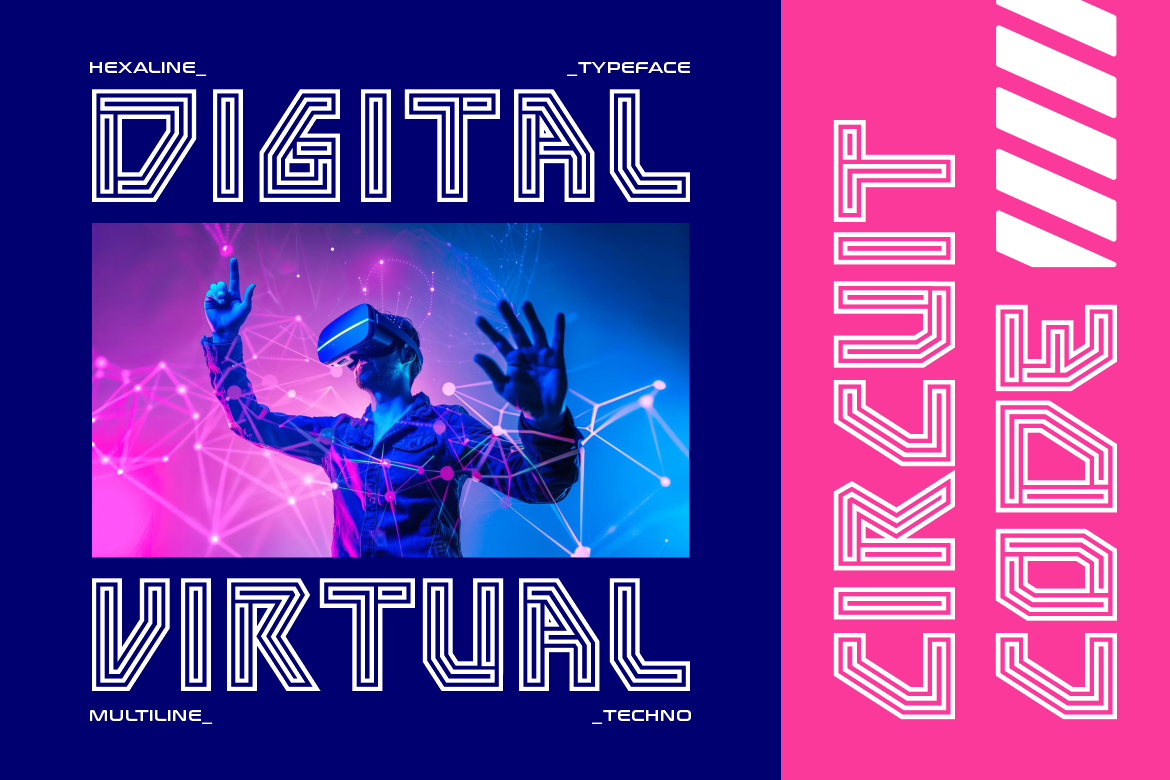
Hexaline constructs each character from clean geometric paths that create a distinctive multiline and circuit-inspired appearance. Its open shapes, precise angles, and layered structure can represent connected sensors, electrical systems, renewable energy networks, and digital data flows. Designers can also use contrasting colors or subtle glow effects to emphasize its technological character.
PROS: Clean multiline construction, strong circuit aesthetic, flexible color layering, and clear technological identity.
BEST FOR: Solar projects, energy dashboards, IoT systems, innovation fairs, research posters, and technology club branding.
2. Neurobyte Futuristic Sci-Fi Font
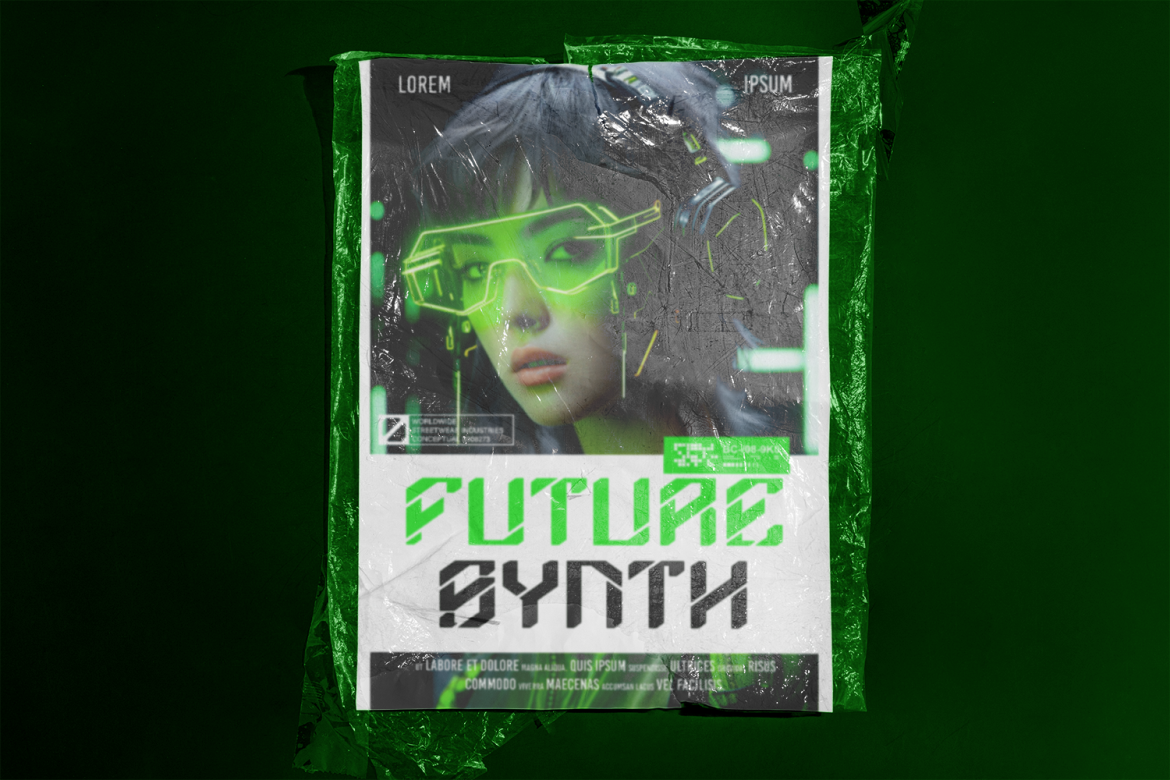
Neurobyte uses sharp geometric characters, angled cuts, and coded details to create a modern cyber-technology mood. Its Regular and Slant styles give students flexibility when building a consistent title system across presentation slides, app concepts, posters, and prototype interfaces. The design is particularly effective when a project involves algorithms, prediction, sensors, or intelligent automation.
PROS: Two coordinated styles, recognizable digital character, sharp geometry, and strong screen presence.
BEST FOR: AI sustainability projects, energy forecasting, environmental apps, data science, smart-city concepts, and digital exhibitions.
3. Tronix Futuristic Cyberpunk Mecha Font

Tronix combines heavy letterforms, angular strokes, geometric edges, and mechanical cutouts inspired by robotics and mecha construction. Its powerful silhouette gives hardware-oriented projects a sense of structure, engineering, and physical capability. Use it for a short project name, then support it with clean typography for specifications and technical explanations.
PROS: Bold mechanical construction, high visibility, industrial personality, and commanding headline impact.
BEST FOR: Robotic waste sorters, automated recycling, engineering teams, green machinery, hardware prototypes, and science competitions.
4. Autocron Futuristic Font
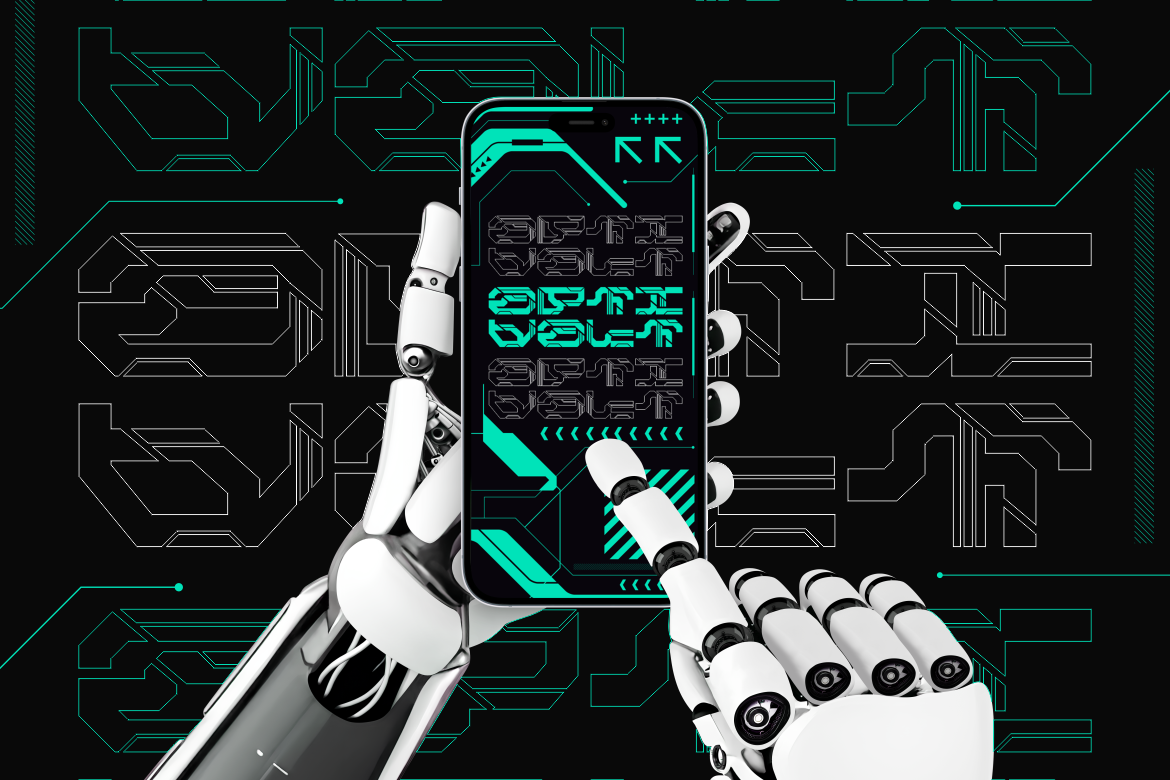
Autocron features condensed forms, segmented details, sharp geometric cuts, and a controlled digital rhythm. Its circuit-like motifs give project branding a sense of automation and precision while its narrower proportions help longer titles fit presentation covers and vertical exhibition panels. It works especially well for systems involving transportation, scheduling, monitoring, or machine control.
PROS: Space-efficient proportions, mechanical detail, strong digital rhythm, and modern display readability.
BEST FOR: Green mobility, smart irrigation, automated energy systems, transport apps, robotics, and technical publications.
5. Cyber Aliens Futuristic Sci-Fi Font
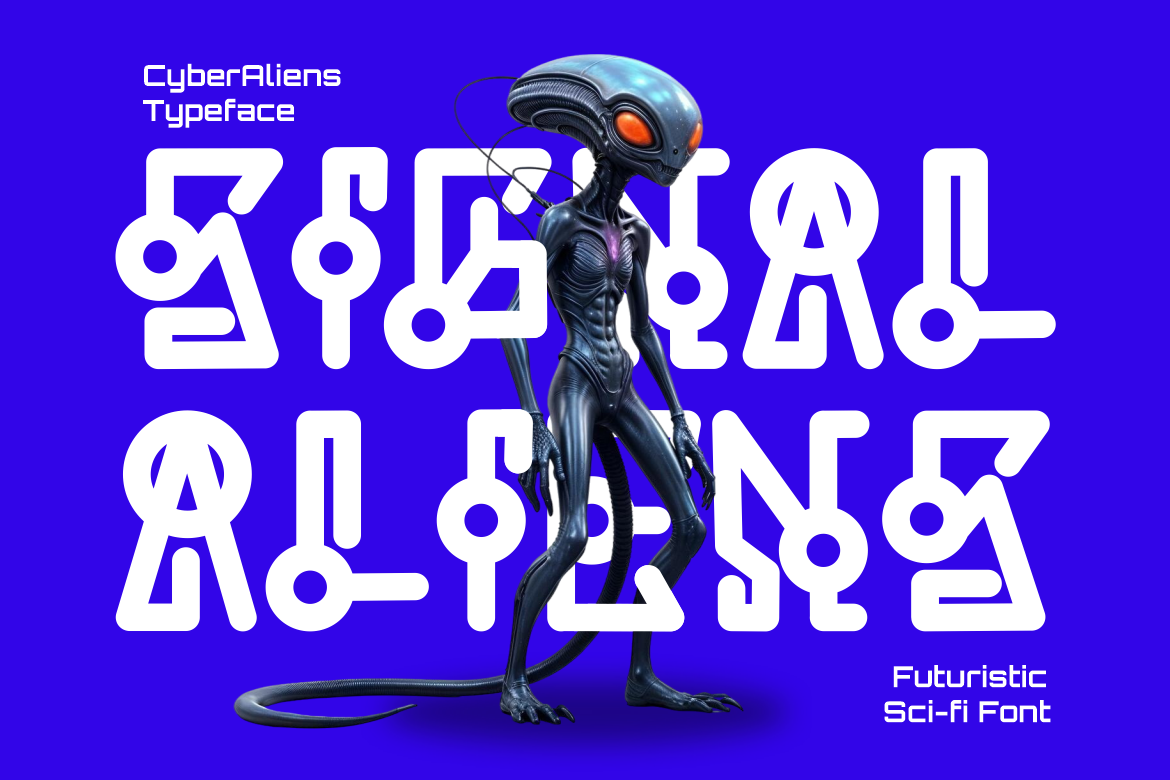
Cyber Aliens takes a more experimental direction through geometric forms, rounded circuitry, unusual loops, and symbols influenced by fictional space interfaces. It is useful when a project explores speculative environmental futures or needs a memorable identity that feels exploratory rather than strictly industrial. The family also includes uppercase, lowercase, numbers, punctuation, and themed alternates for broader creative experimentation.
PROS: Highly distinctive forms, experimental alternates, futuristic atmosphere, and memorable conceptual character.
BEST FOR: Future-city concepts, space sustainability, speculative design, environmental games, conceptual exhibitions, and creative science communication.
Comparison
| Font | Visual Direction | Strongest Project Application | Overall Tone |
|---|---|---|---|
| Hexaline | Multiline and circuit-inspired | Renewable energy and IoT displays | Clean and connected |
| Neurobyte | Angular and digitally coded | AI and data-driven projects | Intelligent and modern |
| Tronix | Heavy and mechanical | Robotics and hardware prototypes | Powerful and industrial |
| Autocron | Condensed and segmented | Automation and green transport | Precise and technical |
| Cyber Aliens | Experimental and otherworldly | Speculative sustainability concepts | Futuristic and exploratory |
Common Mistakes
The first common mistake is choosing an impressive technology before defining the environmental problem. Students may decide to use AI, robotics, or solar power simply because the technology sounds advanced, then struggle to explain why it is needed. Begin with a real observation and measurable baseline. Technology should be selected because it helps test or solve the problem, not because it makes the title appear more futuristic.
Another mistake is designing a project that is too dangerous or ambitious for the available resources. Mains electricity, unprotected batteries, high-powered motors, chemicals, contaminated waste, and unsupported structural components can create serious risks. Use low-voltage prototypes, protected modules, clean test materials, and qualified supervision. Sensor readings and AI predictions should also be checked carefully. A low-cost monitor or small training dataset can reveal useful patterns, but it should not be presented as perfectly accurate or suitable for official environmental decisions.
The final mistake is investing more effort in the visual presentation than in the research. Futuristic colors, animations, and display fonts can attract attention, but they cannot replace a clear hypothesis, reliable method, understandable charts, and honest limitations. Use expressive typography for the project identity while keeping body text, labels, measurements, and instructions simple and readable. Strong design should help the audience understand the evidence.
Conclusion
The best clean technology ideas for students connect creativity with measurable environmental improvement. A smart energy monitor can reveal inefficient behavior, a solar charging station can demonstrate renewable generation, a waste classifier can explore automation, and an AI model can help students understand patterns that are difficult to see manually.
Begin with a local problem, build a controlled prototype, measure the result, and document both success and failure. This process develops technical ability alongside research, collaboration, critical thinking, and environmental responsibility.
Fonts from PutraCetol Studio can give these projects a clear and memorable visual identity. Hexaline supports connected energy systems, Neurobyte fits intelligent data projects, Tronix strengthens mechanical prototypes, Autocron communicates automation, and Cyber Aliens brings speculative ideas to life. Used thoughtfully, typography can make a clean technology project feel as innovative as the solution it presents.
Explore these fonts and many more at PutraCetol.com to build a business identity that looks professional, trustworthy, and memorable.
Additionally, if you want to explore some free typography options, you can check out Putracetol Studio on Dafont. Happy reading and designing!