
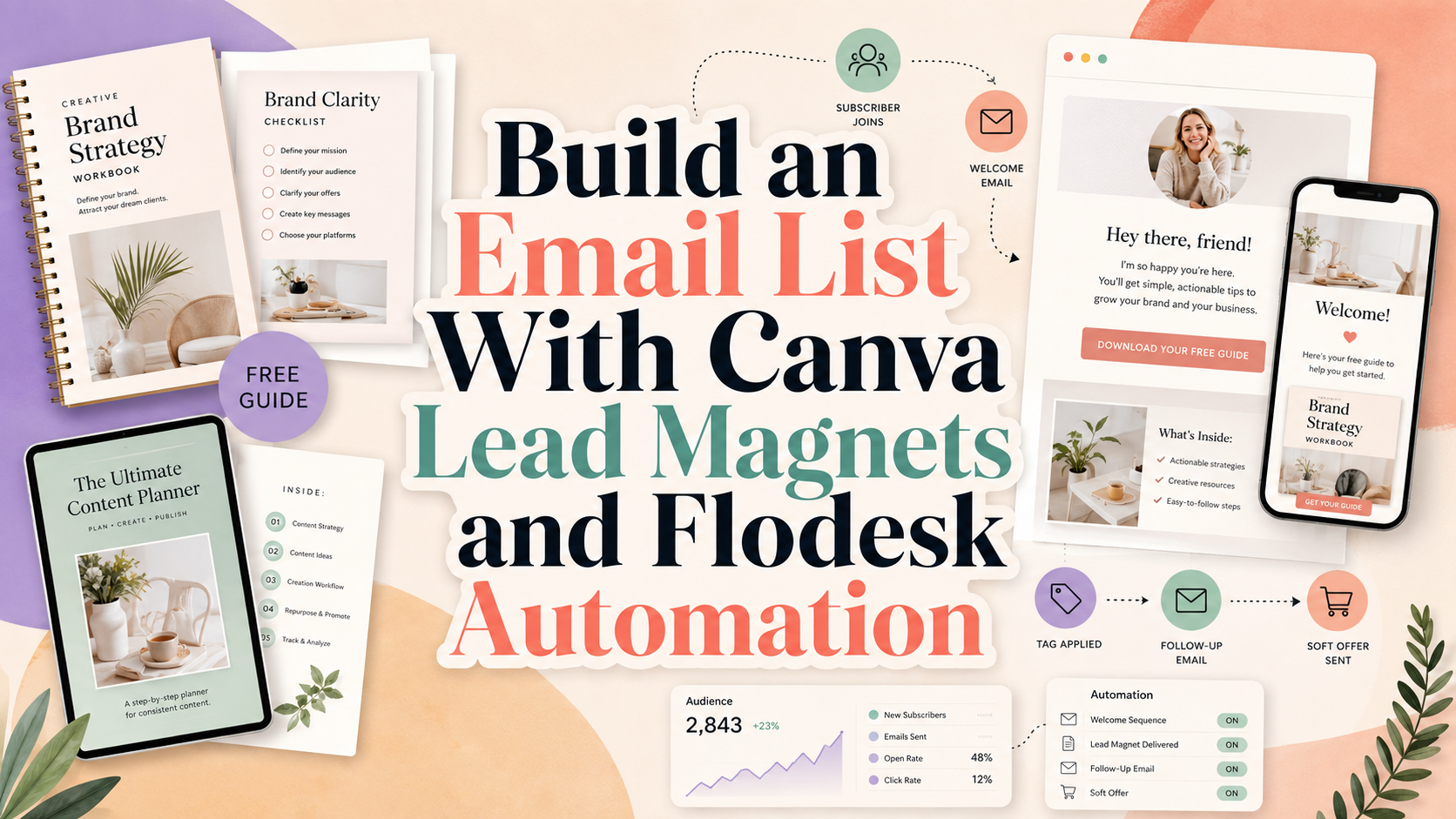
Lead Magnet With Canva and Flodesk: How to Design, Automate, and Grow Your Email List
A lead magnet works best when three things happen at the same time: the content solves a specific problem, the design makes the resource feel valuable, and the delivery system turns interest into an ongoing relationship.
That is where a lead magnet with Canva and Flodesk becomes particularly useful.
Canva handles the visual production side. You can design ebooks, checklists, workbooks, templates, guides, worksheets, and promotional graphics without building every page from scratch. Flodesk manages the subscriber side through opt-in forms, segments, automated workflows, delivery emails, and follow-up campaigns.
In 2026, the connection between the two platforms is also closer than it used to be. Flodesk now provides a direct Canva integration that can bring Canva designs into emails, forms, and checkout experiences, while Canva-designed campaign emails can also be transferred directly into Flodesk.
The result can be a relatively simple funnel:
Useful free resource → attractive signup page → email opt-in → automated delivery → nurture emails → relevant paid offer
The technology is straightforward. The strategic decisions around the offer, message, audience, and follow-up determine whether the system actually converts.
Build the Lead Magnet Around One Small, Valuable Result
A common mistake is trying to make a free resource so comprehensive that it becomes a miniature course.
That often leads to a 60-page ebook nobody finishes.
A stronger lead magnet usually solves one specific problem quickly.
Instead of:
The Complete Guide to Growing Your Business
try:
The 15-Minute Homepage Conversion Checklist
Instead of:
Everything You Need to Know About Instagram
try:
25 Reel Hook Templates for Small Business Owners
Instead of:
Complete Branding Guide
try:
One-Page Brand Board Template for New Startups
The lead magnet should answer:
Who is it for?
What problem does it solve?
What useful result can someone get quickly?
Whats logical paid offer comes next?
Flodesk’s own lead-magnet guidance recommends creating a resource that provides a quick win and connects naturally to your paid products or services.
That connection is crucial.
A free guide about Instagram captions will attract one type of subscriber. If your paid product is accounting software for enterprise companies, the journey does not make much sense.
The free resource and future offer should belong to the same customer problem.
What Is a Lead Magnet?
A lead magnet is a useful resource offered in exchange for a visitor’s contact information, usually an email address.
Popular formats include:
- Ebook
- Checklist
- Cheat sheet
- Workbook
- Template
- Planner
- Resource list
- Mini guide
- Swipe file
- Prompt collection
- Quiz result
- Webinar
- Video training
- Printable
- Calculator
- Toolkit
The best format depends on the problem.
A complex strategy may need a guide. A repeatable process may work better as a checklist. A designer might offer a template. A consultant could provide an assessment worksheet.
Do not automatically create an ebook because it feels more substantial.
The format should make the information easier to use.
Why Canva Works Well for Lead Magnet Design
Canva provides templates and editing tools for resources such as ebooks and checklists, allowing users to customize layout, typography, colors, photographs, and illustrations. Canva also supports downloading checklist designs in formats including PDF, JPG, and PNG.
This makes it particularly useful for:
- Entrepreneurs without a dedicated designer
- Content creators
- Small teams
- Marketing departments
- Coaches and consultants
- Freelancers
- Students
- Startup founders
The biggest advantage is not simply that Canva makes design easier.
It makes a repeatable visual system easier.
One lead magnet can establish:
- Cover style
- Heading typography
- Color palette
- Illustration treatment
- Icon style
- CTA design
- Page structure
Future resources can then reuse the same design language.
Why Flodesk Works Well for Lead Magnet Delivery
Flodesk separates the subscriber-management process into several useful components.
Forms
Forms collect subscriber information.
Current Flodesk form types include:
- Popup
- Inline
- Full page
- Link in bio
Popup and inline forms can be embedded into compatible websites, while full-page and link-in-bio forms provide standalone shareable URLs.
Segments
Segments organize subscribers according to interests or actions.
For example:
Opt-in – Branding Checklist
could contain everyone who downloaded a branding resource.
Another segment might contain:
Opt-in – Instagram Guide
This allows future email content to reflect what each person has already shown interest in.
Flodesk recommends creating clear segment names based on source or action and supports automatic segmentation through forms and workflow behavior.
Workflows
Workflows automate what happens after someone joins.
A workflow might:
- Send the lead magnet
- Wait one day
- Send a useful follow-up
- Wait two days
- Share a case study
- Introduce a relevant product
- Move the subscriber into another segment
Flodesk’s current lead-magnet setup uses a form, segment, and workflow to automate delivery. Workflows are required for automatic lead-magnet emails and are available on eligible paid plans.
The Ideal Canva and Flodesk Lead Magnet Funnel
A practical funnel can be structured like this:
Traffic source
↓
Lead magnet landing page or opt-in form
↓
Subscriber enters a dedicated segment
↓
Flodesk workflow starts
↓
Delivery email provides the resource
↓
Welcome or nurture sequence
↓
Relevant paid product or service
Traffic may come from:
- Blog content
- YouTube
- Google search
- Paid advertising
- Podcast appearances
- Partner collaborations
- QR codes
- Existing website traffic
The lead magnet should continue the promise that brought the visitor into the funnel.
Step 1: Choose the Lead Magnet Topic
Begin with customer problems rather than content formats.
Review:
- Frequently asked questions
- Sales objections
- Search terms
- Blog traffic
- Social-media comments
- Customer-support conversations
- Product reviews
- Competitor content
- Community discussions
Look for a small problem that appears repeatedly.
For example, a freelance brand designer might notice that small-business owners regularly struggle with choosing fonts.
Possible lead magnet:
The Small Business Font Pairing Checklist
A social media consultant might notice that clients struggle with content planning.
Possible lead magnet:
30-Day Content Planning Template
A web designer may repeatedly hear:
“I have traffic, but nobody contacts me.”
Possible lead magnet:
20-Point Website Conversion Audit Checklist
These resources naturally lead into relevant paid services.
Step 2: Write a Strong Lead Magnet Promise
The title should communicate the result before describing the format.
Compare:
Free Marketing Ebook
with:
25 Email Subject Line Templates for Your Next Product Launch
The second version is more specific.
A useful formula is:
[Number / outcome / tool] + for [audience] + to achieve [result]
Examples:
15 Homepage Fixes for Small Businesses That Want More Leads
The 30-Minute Brand Board Worksheet for New Startups
50 Instagram Hooks for Creative Businesses
The Freelancer Client Onboarding Checklist
10 Product Photography Layouts for Handmade Brands
Specificity helps visitors decide whether the resource is relevant.
Step 3: Structure the Content Before Opening Canva
Do not design the document while still deciding what it should say.
Create the information structure first.
For an ebook, a practical structure might be:
Cover
Short introduction
Problem definition
Three to five key lessons
Examples
Action checklist
Next step
About the brand
For a checklist:
Title
Short explanation
Grouped checklist items
Notes section
CTA
For a template:
Instructions
Editable framework
Completed example
Next step
This makes Canva a design environment rather than a place where content strategy is improvised page by page.
Step 4: Design the Lead Magnet in Canva
Create a Strong Cover
The cover should communicate:
- Topic
- Benefit
- Audience
- Brand
- Visual personality
Avoid excessive text.
For example:
THE BRAND CLARITY CHECKLIST
20 questions to define your visual identity before hiring a designer
Your Brand Name
That is enough to establish context.
Build a Simple Page System
Do not create a completely different layout for every page.
Use repeatable page types such as:
Title Page
Large display typography and strong visual identity.
Content Page
Heading, paragraph, supporting graphic.
Checklist Page
Clear items with generous spacing.
Quote or Insight Page
One important idea with larger typography.
CTA Page
Short next-step message with website or offer.
A consistent page system makes the resource feel professionally designed.
Limit the Color Palette
A lead magnet does not need every brand color on every page.
A useful system may contain:
- One main brand color
- One accent
- One dark text color
- One light background
- Optional neutral
Use color to establish hierarchy rather than decoration.
Use Typography Strategically
A practical lead-magnet typography system can use:
Display font: Cover and major section headings
Supporting font: Subheadings and callouts
Body font: Longer reading
Typography can make a free resource feel much more valuable.
This is also an opportunity to use a distinctive PutraCetol Studio font for major branding moments such as the cover title, worksheet headings, campaign graphics, or promotional images.
PutraCetol offers display, serif, sans serif, handwritten, retro, playful, luxury, experimental, and industry-specific font directions that can help a Canva lead magnet move beyond generic template typography.
Keep the body copy simpler.
A beautiful decorative font is much more effective in a 12-word heading than across five pages of instructions.
Step 5: Export the Lead Magnet
Once the resource is finished, review it carefully before exporting.
Check:
- Spelling
- Links
- Page numbers
- CTA
- Logo
- Website address
- Social links
- Readability
- Mobile viewing
- Image quality
- File size
Canva supports downloading checklist designs in PDF as well as image formats, and its ebook tools are designed for multi-page visual documents.
For an ebook, guide, checklist, or workbook intended to be read digitally, a PDF is usually the most practical format.
Then host the file somewhere stable.
Possible locations include:
- Your website
- A cloud-storage location configured for public access
- A dedicated resource page
- Another reliable file-hosting system
Flodesk does not store the lead magnet directly as an attachment inside the delivery email. Its lead-magnet workflow uses a link to the PDF, video, or other hosted resource instead.
This is important because it means the delivery workflow should contain a clear button such as:
Download Your Checklist
rather than depending on a large email attachment.
Step 6: Create a Segment in Flodesk
Create one dedicated segment for the lead magnet.
For example:
Opt-in – Website Conversion Checklist
Clear naming becomes increasingly important as the account grows.
You may eventually have:
- Opt-in – Branding Board
- Opt-in – Canva Guide
- Opt-in – Website Checklist
- Purchased – Branding Course
- Clicked – Consulting
- Customer – VIP
Flodesk recommends using one segment for each lead magnet so the appropriate delivery workflow can be triggered reliably.
Step 7: Create the Opt-In Form
In Flodesk, create a new form and connect it to the lead-magnet segment.
Current options include popup, inline, full-page, and link-in-bio forms.
Inline Form
Best when the lead magnet appears:
- Inside a blog article
- On a service page
- On a dedicated landing page
- Inside a website section
Popup Form
Best for:
- Exit-intent-style opportunities
- Blog traffic
- General website list growth
- Campaign promotions
Use popups carefully. Do not interrupt users before they understand the page.
Full-Page Form
Useful when you do not want to build a separate landing page.
It provides a shareable Flodesk URL that can be used in:
- Instagram bio
- YouTube description
- Email signature
- QR code
- Social advertising
Link-in-Bio Form
Useful when the lead magnet is part of a wider social-media destination.
Using Flodesk With a Canva Website
There is one important limitation.
Canva websites currently do not support the HTML embed code required for embedded Flodesk forms.
Instead, Flodesk recommends using a Full Page Form or Link in bio Form and linking a Canva website button, image, or text to the Flodesk-hosted form.
For example:
Canva website CTA:
GET THE FREE GUIDE
↓
Flodesk Full Page Form
↓
Subscriber segment
↓
Lead magnet workflow
This can still feel cohesive when the Canva site and Flodesk form use the same typography, colors, imagery, and copywriting.
Step 8: Create the Lead Magnet Delivery Workflow
In Flodesk:
Workflows → New Workflow
Then use the lead-magnet delivery template or build your own.
A workflow can currently be triggered when someone joins a segment or submits an opt-in form, among other supported triggers.
A simple structure is:
Trigger: Subscriber joins lead-magnet segment
↓
Email 1: Deliver resource
↓
Delay
↓
Email 2: Help them use it
↓
Delay
↓
Email 3: Introduce related insight
↓
Delay
↓
Email 4: Present relevant paid offer
Do not make the first email complicated.
The subscriber asked for a resource.
Give it to them immediately.
What the Delivery Email Should Include
A useful delivery email might contain:
Subject
Your Website Conversion Checklist Is Here
Opening
Thank the subscriber briefly.
Delivery
Provide one obvious button:
DOWNLOAD THE CHECKLIST
Quick Instruction
Explain how to use the resource.
For example:
Go through the checklist once without making changes. Then choose the three issues most likely to affect your customer journey and fix those first.
Future Expectation
Tell subscribers what they can expect next.
For example:
Over the next few days, I’ll send you three additional conversion tips based on the same framework.
This creates context for the nurture sequence.
Canva and Flodesk Now Have a Direct Design Integration
As of 2026, Canva and Flodesk can be connected directly.
In Flodesk, the Canva connection is available through:
Account Settings → Integrations → Canva
Once connected, Canva designs can be imported into compatible image blocks inside Flodesk emails, forms, and checkouts. Imported designs can also be reopened in Canva for editing.
This is useful for:
- Lead magnet mockups
- Branded banners
- Email graphics
- Cover previews
- Decorative dividers
- Promotional illustrations
- Testimonial graphics
For example, you might create a polished 3D-style ebook cover mockup in Canva and import that image directly into the Flodesk signup form.
That visual consistency can make the transition from social media to form to inbox feel more intentional.
Important Difference: Canva Emails vs. Workflow Emails
Flodesk also allows a complete email designed in Canva to be transferred directly into Flodesk.
However, the current feature applies to campaign emails, not workflow emails. The imported Canva email arrives as a locked block that needs to be edited from Canva.
For automated lead-magnet delivery, it is therefore better to build the actual workflow email in Flodesk and use Canva-created visual elements where needed.
That gives you more flexibility for:
- Automated sequences
- Subscriber personalization
- Buttons
- Workflow logic
- Follow-up steps
Step 9: Connect the Lead Magnet to a Welcome Sequence
Do not end the relationship after delivering the PDF.
The lead magnet has opened the conversation.
A welcome or nurture sequence can then explain:
- Who you are
- What you help with
- Your strongest educational ideas
- Customer stories
- Relevant products or services
Flodesk recommends separating individual lead-magnet delivery workflows from the main welcome sequence when you have multiple freebies. Each lead magnet can use its own segment, form, and delivery workflow, then add the subscriber into a shared welcome-sequence segment. This prevents subscribers from receiving the complete welcome sequence every time they download another free resource.
That structure scales much better.
A Practical Five-Email Nurture Sequence
Email 1: Delivery
Purpose:
Give the resource immediately.
CTA:
Download the Lead Magnet
Email 2: Quick Win
Show subscribers how to apply one section.
For example:
Start with question seven in the branding checklist. If your customer cannot describe what makes you different, your visual identity is being asked to solve a strategic problem.
CTA:
Try This Step
Email 3: Common Mistake
Explain one error your audience frequently makes.
This builds expertise without immediately selling.
Email 4: Case Study or Example
Show what changed when someone applied the strategy.
Focus on:
- Problem
- Decision
- Outcome
Email 5: Offer
Introduce the logical paid next step.
Examples:
- Consultation
- Course
- Template bundle
- Paid ebook
- Membership
- Product
- Software trial
- Design service
The transition should feel natural because the paid product solves a deeper version of the problem introduced by the lead magnet.
Lead Magnet Ideas by Business Type
| Business | Lead Magnet Idea | Natural Follow-Up Offer |
|---|---|---|
| Brand designer | Brand Board Checklist | Brand identity service |
| Web designer | Homepage Conversion Audit | Website redesign |
| Photographer | Product Photo Shot List | Photography package |
| Content creator | 50 Content Hooks | Content course |
| Email marketer | Welcome Sequence Template | Email strategy service |
| Coach | Goal Planning Workbook | Coaching program |
| SaaS business | Industry Benchmark Guide | Product trial |
| Online store | Product Selection Guide | Product purchase |
| Font designer | Font Pairing Guide | Premium font collection |
| Social media consultant | 30-Day Content Planner | Strategy package |
The strongest lead magnet usually sits directly before the paid offer in the customer journey.
Create a Landing Page That Converts
The signup page should focus on one offer.
A practical structure is:
Headline
Communicate the result.
Fix the 20 Most Common Website Conversion Problems
Subheading
Explain who it is for.
A free checklist for small-business owners who already have website traffic but need more inquiries and sales.
Visual Preview
Show the Canva-designed cover or several pages.
Benefit Points
Explain what subscribers will learn.
Form
Ask for only the information you actually need.
Often:
First name + email
is enough.
CTA
Use specific copy.
Instead of:
SUBMIT
try:
SEND ME THE CHECKLIST
Trust Information
Briefly explain:
- What they receive
- Whether they will receive future emails
- How they can unsubscribe
Double Opt-In and Subscriber Consent
Flodesk notes that for new members who joined after April 2, 2025, double opt-in is enabled by default for opt-in forms. The confirmation email and confirmation page can be customized in the account’s opt-in settings.
Double opt-in adds another step because subscribers confirm their email address before fully joining.
That can reduce raw signup volume but may help create a cleaner list containing people who genuinely want the content.
Whatever consent structure you choose, make the subscriber expectation clear.
Do not disguise an ongoing marketing subscription as a one-time download.
How to Promote the Lead Magnet
Blog Content
Place a related lead magnet inside high-intent articles.
Example:
Article:
How to Improve Your Brand Identity
Lead magnet:
Free Brand Board Checklist
The contextual relationship increases relevance.
Promote the lead magnet through:
- Reels
- Stories
- Carousels
- Bio link
- Pinned posts
Do not repeatedly post only the cover.
Teach one useful idea from the resource and then invite followers to download the complete version.
Canva makes it easy to create several vertical graphics from the same visual system.
Possible pin titles:
- Free Branding Checklist
- Brand Board Template
- Small Business Branding Guide
- Visual Identity Checklist
Send each pin to the relevant opt-in page.
YouTube
Add the resource to:
- Description
- Pinned comment
- Video CTA
- Channel links
The lead magnet should connect directly to the topic of the video.
Podcast and Partnerships
A memorable lead-magnet URL can turn offline or audio attention into email subscribers.
For example:
Visit example.com/checklist to get the free guide.
Keep the destination short and easy to say.
Use the Lead Magnet to Segment Customer Intent
A lead magnet does more than collect email addresses.
It reveals interest.
Someone downloading:
Luxury Packaging Design Checklist
is showing different intent from someone downloading:
Instagram Content Calendar
Treat those subscribers differently.
Flodesk segments can organize people based on the freebie they selected and can also be updated through workflow actions, clicks, purchases, and other behaviors.
This makes later emails more relevant.
For example:
Packaging Lead
Send:
- Packaging inspiration
- Label design tips
- Product photography advice
- Packaging font recommendations
Social Media Lead
Send:
- Content planning
- Reel design
- Social typography
- Engagement strategies
The same business can serve both groups without sending every subscriber identical content.
Measure the Funnel
Do not measure success using download counts alone.
Track:
- Landing-page visitors
- Form visitors
- Opt-ins
- Form conversion rate
- Confirmation rate
- Delivery-email opens
- Lead-magnet clicks
- Follow-up engagement
- Unsubscribe rate
- Sales conversion
- Revenue per subscriber
Flodesk currently provides form performance metrics including visitors, opt-ins, and conversion rate from its Forms dashboard.
A lead magnet with 1,000 subscribers and almost no purchasing behavior may be less valuable than a niche resource generating 150 highly qualified leads.
Optimize the Lead Magnet Funnel
Test the Headline
Compare:
Free Email Guide
with:
Write Your First 5-Email Welcome Sequence in One Afternoon
Specificity usually communicates value more effectively.
Test the Lead Magnet Mockup
Show visitors what they are getting.
A Canva mockup can display:
- Cover
- Several sample pages
- Checklist detail
- Worksheet
- Template preview
This makes an invisible digital product feel more tangible.
Test Form Length
Do you genuinely need:
- Phone number
- Company
- Website
- Job title
before sending a free checklist?
If not, remove them.
You can collect additional information later when it becomes relevant.
Test the CTA
Examples:
- Get the Free Guide
- Download the Checklist
- Send Me the Template
- Get My Free Workbook
- Start the Free Challenge
The button should describe the value that follows the click.
Make the Lead Magnet Feel Like Part of the Brand
One of the largest missed opportunities in lead-magnet design is treating the free resource as a disposable PDF.
It may be a subscriber’s first significant experience with the brand.
Make it consistent with your:
- Website
- Social graphics
- Email design
- Products
- Packaging
- Presentations
Use the same visual principles:
Logo
Color palette
Typography
Photography
Illustration
Tone of voice
Typography is particularly valuable because it creates continuity across Canva and Flodesk.
A distinctive PutraCetol Studio font can lead the ebook cover, checklist title, promotional graphics, and landing-page headline. Pair it with a simpler text face for longer reading and email content.
The goal is not to make the free resource look expensive for its own sake.
It is to make the subscriber think:
If the free material is this thoughtful, the paid product may be worth exploring.
Comparison
Canva vs. Flodesk Roles
| Canva | Flodesk |
| Designs the lead magnet | Collects subscribers |
| Creates covers and page layouts | Creates opt-in forms |
| Produces promotional graphics | Organizes subscribers into segments |
| Creates ebook/checklist visuals | Automates delivery |
| Produces email graphics | Runs nurture workflows |
| Supports PDF output | Tracks form performance |
| Maintains visual branding | Manages email communication |
Ebook vs. Checklist vs. Template
| Format | Best For | Main Strength | Main Risk |
| Ebook | Teaching a structured topic | Greater depth | May become too long |
| Checklist | Quick implementation | Easy to consume | Can feel too basic |
| Template | Repeated practical task | High immediate utility | Needs clear instructions |
| Workbook | Guided thinking | Interactive | Requires more effort |
| Swipe file | Copywriting and creative work | Ready-to-use ideas | Can attract people seeking only shortcuts |
| Resource guide | Tools and recommendations | Easy to update | Links can become outdated |
Inline vs. Popup vs. Full-Page Flodesk Forms
| Form Type | Best Use |
| Inline | Blog posts and landing pages |
| Popup | Site-wide promotion |
| Full page | Dedicated lead magnet page |
| Link in bio | Social-media traffic |
Canva Website vs. Standard Website
| Canva Website | Standard Website With Embed Support |
| Links to Flodesk-hosted forms | Can embed inline or popup forms |
| Fast visual setup | Greater technical flexibility |
| Good for simple campaigns | Better for deeper funnel optimization |
| No direct Flodesk HTML embed | Supports Flodesk embed code when platform permits |
Common Mistakes
The first common mistake is creating a lead magnet that attracts an audience unrelated to the business’s paid offer. A generic “100 Inspirational Quotes” PDF might generate many downloads, but those subscribers may have little interest in your branding consultancy, software product, or ecommerce store. Start with the commercial customer problem and work backward. The lead magnet should solve the first part of that problem, while your product or service solves the larger version. A smaller but highly relevant email segment usually creates more business value than a large list built around disconnected freebies.
Another mistake is spending most of the effort on Canva design while neglecting delivery and follow-up. A polished 30-page ebook will not grow the business if the signup form is confusing, the workflow is unpublished, the download link has incorrect permissions, or subscribers never hear from the brand again. Test the complete experience with a real email address before promoting it. Confirm that the subscriber reaches the intended segment, receives the delivery workflow, can open the resource on mobile, and moves correctly into the nurture sequence. Also remember that Flodesk’s one-click import of a complete Canva-designed email currently applies to campaigns rather than workflow emails, so automated delivery emails should be structured accordingly.
The final mistake is overdesigning the lead magnet or email until readability suffers. Decorative fonts, complex backgrounds, huge image files, tiny body text, and too many colors may look impressive in a Canva preview while creating a frustrating reading experience on a phone. Use personality in the cover and major headings, but keep instructions and body copy simple. Maintain the same brand voice between the Canva resource, Flodesk form, delivery email, and paid offer so the entire funnel feels like one deliberate customer experience rather than several disconnected templates.
Conclusion
Creating a lead magnet with Canva and Flodesk is an effective way to connect visual content creation with email marketing automation.
Canva provides the environment for creating ebooks, checklists, templates, worksheets, covers, mockups, and promotional graphics. Flodesk provides the forms, segments, workflows, and email system needed to turn those assets into a repeatable subscriber journey.
The strongest workflow begins with one specific audience problem.
Create a resource that delivers a quick result, design it with a consistent visual system, host it reliably, and connect a dedicated Flodesk form to its own subscriber segment. Then use a workflow to deliver the resource immediately and continue the conversation through useful follow-up emails.
Current Canva and Flodesk integration features also make visual consistency easier. Canva designs can be imported directly into compatible Flodesk emails, forms, and checkout blocks, while campaign emails can be transferred from Canva into Flodesk.
But the tools are only part of the strategy.
The real value appears when the free resource attracts the same people who are likely to benefit from the paid offer.
Use typography, color, imagery, and layout to make the first experience memorable. Designers and creative businesses can explore PutraCetol Studio fonts for distinctive ebook covers, checklist headlines, promotional graphics, and branded campaign assets, then pair those display styles with highly readable supporting typography.
A successful lead magnet does not simply collect an email address.
It starts a relevant relationship.
Explore these fonts and many more at PutraCetol.com to build a business identity that looks professional, trustworthy, and memorable.
Additionally, if you want to explore some free typography options, you can check out Putracetol Studio on Dafont. Happy reading and designing!