
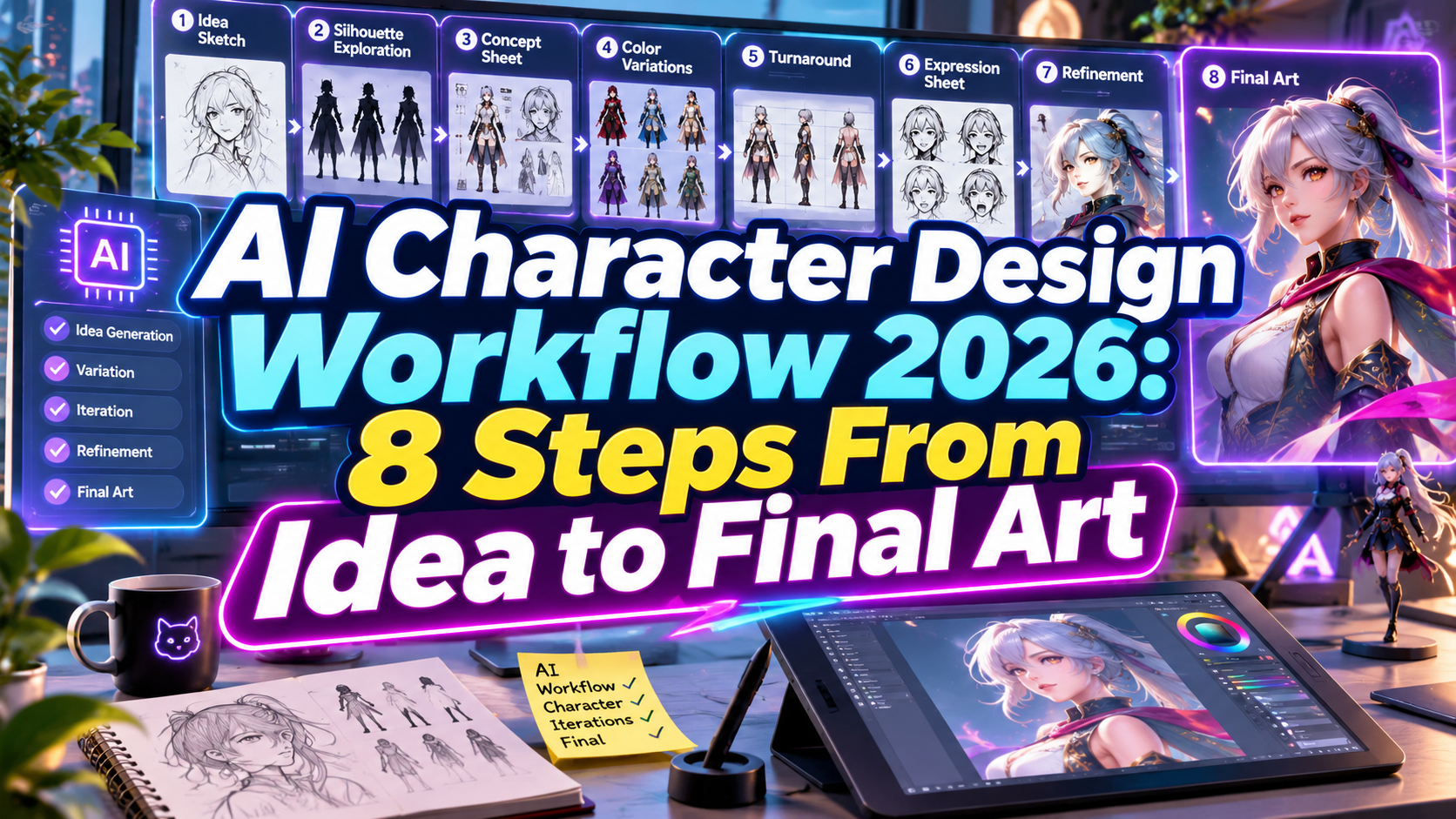
AI Character Design Workflow 2026: 8 Steps From Concept to Final Artwork
Artificial intelligence is transforming how artists develop characters for games, animation, comics, and digital branding. From generating initial concepts to exploring different poses and expressions, AI provides new opportunities to accelerate creative production.
An effective AI character design workflow 2026 combines intelligent image generation with traditional design principles, artistic judgment, and professional editing techniques.
Rather than replacing character designers, AI can support experimentation, reduce repetitive work, and help creative teams develop visual concepts more efficiently.
Whether you’re creating a game protagonist, animated mascot, or illustrated character collection, understanding the right workflow is essential for achieving consistent and production-ready results.
Build the Character Before Generating Images
Successful character design starts with a clear creative direction.
Before opening an AI image generator, define your character’s personality, background, appearance, intended audience, and visual style.
For example, a children’s game might feature a friendly robot with oversized eyes, rounded mechanical parts, and colorful accessories.
A useful starting prompt is:
Specific descriptions help maintain consistency throughout the creative process.
8 Essential Steps in an AI Character Design Workflow
1. Develop the Character Concept
Begin by defining the character’s role, personality, and visual identity.
Consider important characteristics such as age, proportions, clothing, facial expressions, and distinguishing features.
A fantasy game character might require dramatic armor and recognizable silhouettes, while a food brand mascot could benefit from softer shapes and friendly expressions.
Document these characteristics in a simple character brief before generating artwork.
2. Create a Visual Mood Board
A mood board helps establish a consistent artistic direction.
Collect references for color palettes, clothing, materials, anatomy, lighting, and illustration styles.
You can use AI tools to explore visual concepts, but avoid directly copying existing copyrighted characters.
The goal is to establish original creative influences that support a recognizable character identity.
3. Generate Initial Character Concepts
Use AI image generators such as Leonardo AI, Midjourney, or Adobe Firefly to explore different design possibilities.
Generate several variations using consistent descriptions while changing individual elements such as hairstyles, costumes, accessories, or proportions.
For example, experiment with three different robot silhouettes while maintaining the same color palette and personality.
Compare results based on originality, readability, and suitability for your intended project.
4. Select and Refine the Strongest Design
Not every AI-generated character will be suitable for production.
Evaluate the silhouette, visual balance, facial features, and overall personality.
Choose the concept that communicates the character’s identity most clearly, then refine its proportions and important details.
AI-assisted editing can help modify selected elements, while manual illustration provides greater control over precise shapes and construction.
5. Maintain Character Consistency Across Images
Character consistency is one of the biggest challenges in AI-generated artwork.
Use reference-image features to preserve important details across poses, expressions, and scenes.
Leonardo AI supports reference-guided generation, while Midjourney’s newer editing workflows also allow users to work with visual references.
Create a character sheet featuring front, side, and back views, along with several facial expressions.
Review every variation carefully because AI cannot guarantee identical details across generations.
6. Refine Artwork With Professional Editing Tools
After selecting your character, continue refining it using software such as Photoshop, Illustrator, or other digital illustration tools.
Correct anatomical inconsistencies, improve facial details, adjust colors, and remove unwanted artifacts.
Use separate layers for major elements whenever possible.
For characters intended for animation, ensure important components can be separated and adjusted without damaging the original artwork.
7. Prepare Production-Ready Character Assets
Different creative projects require different asset formats.
Game developers may need sprite sheets, transparent PNG files, or layered character illustrations. Animation studios often require model sheets, expression libraries, and separated body parts.
For vector-based mascots, recreate or trace the approved design into editable vector paths.
For 3D production, generated concept images typically require additional modeling, topology preparation, rigging, and animation work.
Organize files clearly to support future revisions and collaboration.
8. Integrate Characters Into Branding and Storytelling
A finished character becomes more valuable when its appearance supports a recognizable creative identity.
Develop coordinated backgrounds, promotional illustrations, character poses, and supporting typography.
For example, a playful game mascot could appear across loading screens, merchandise, social media graphics, and promotional posters.
Explore creative display fonts at PutraCetol Studio to complement your character artwork with distinctive typography for logos, comic titles, gaming graphics, and branded content.
Comparison: Traditional vs. AI-Assisted Character Design
Both approaches offer valuable advantages for professional character development.
| Design Stage | Traditional Workflow | AI-Assisted Workflow |
|---|---|---|
| Concept exploration | Manual sketches | AI-generated variations |
| Art direction | Reference research | Research and AI mood boards |
| Character consistency | Manual model sheets | Reference-guided generation |
| Design refinement | Digital illustration | AI editing and manual adjustments |
| Asset production | Manual preparation | AI-assisted preparation and review |
| Creative control | Direct artistic control | Prompt-based exploration |
Which Workflow Is Better?
AI-assisted workflows are useful for brainstorming, early concept exploration, and developing visual alternatives.
Traditional character design remains essential for precise anatomy, consistent construction, animation requirements, and final production quality.
Combining both methods allows artists to explore ideas efficiently while maintaining professional creative control.
Common Mistakes in AI Character Design
One common mistake is generating numerous character images without establishing a consistent visual identity. Although individual images may look impressive, characters can develop different facial structures, proportions, clothing details, or color treatments between generations. This becomes particularly problematic in comics, animation, and games where audiences expect recognizable characters. Designers should establish character reference sheets, document defining features, and review every generated variation against the approved concept before expanding production.
Another mistake is treating AI-generated images as finished production assets. Generated artwork may contain inconsistent anatomy, distorted accessories, unsuitable file structures, or details that are difficult to animate. Professional projects often require manual corrections, clean layering, consistent color management, and appropriate asset preparation. Designers should also verify commercial usage rights, avoid copying protected characters, and document the creative process when producing artwork for clients or commercial products.
Conclusion
The AI character design workflow 2026 offers creative professionals a practical way to develop imaginative characters while reducing time spent on repetitive exploration.
From initial brainstorming and AI-generated concepts to reference sheets, manual refinement, and production-ready assets, every stage contributes to a stronger character identity.
The most successful approach combines AI capabilities with original creativity, technical knowledge, and consistent visual direction.
For artists developing character-based branding, games, or promotional artwork, explore distinctive typography at PutraCetol Studio to complement your characters and create a memorable visual identity.
Explore these fonts and many more at PutraCetol.com to build a business identity that looks professional, trustworthy, and memorable.
Additionally, if you want to explore some free typography options, you can check out Putracetol Studio on Dafont. Happy reading and designing!